Older Version
Newer Version
 Alyce
Nov 4, 2006
Alyce
Nov 4, 2006
Lesson Map | Next > Editor Menu Items
After all that work producing your first LB program, it would be a real shame to just throw it away, so let's save it. To do that, you need to give it name, and a place to stay.
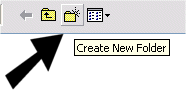
On the menu bar, select File > SaveAs.... In the SaveAs dialog, click on the New Folder button at the right end of the toolbar, and create a folder called "Dev" inside your Liberty BASIC folder. Then open the folder to make it the active target for your file.
In the File Name box at the bottom of the dialog, select the default (suggested) name of untitled.bas and overwrite it by typing "hello.bas" in its place. Click on the Save button to complete the save and return to the LB editor.
Now the editor shows the new name for your program in the editor's title bar:
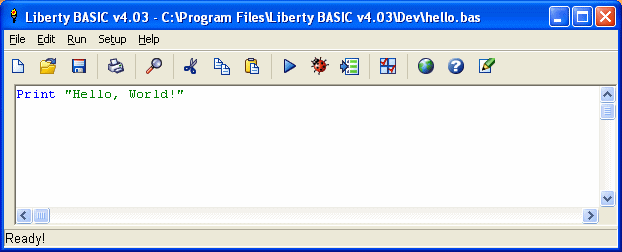
Your first program is now saved, safely stored for future generations to praise and admire.
Lesson Map | Next > Editor Menu Items
Saving Your Program
After all that work producing your first LB program, it would be a real shame to just throw it away, so let's save it. To do that, you need to give it name, and a place to stay.
On the menu bar, select File > SaveAs.... In the SaveAs dialog, click on the New Folder button at the right end of the toolbar, and create a folder called "Dev" inside your Liberty BASIC folder. Then open the folder to make it the active target for your file.
In the File Name box at the bottom of the dialog, select the default (suggested) name of untitled.bas and overwrite it by typing "hello.bas" in its place. Click on the Save button to complete the save and return to the LB editor.
Now the editor shows the new name for your program in the editor's title bar:
Your first program is now saved, safely stored for future generations to praise and admire.
Lesson Map | Next > Editor Menu Items